In today’s interconnected world, safeguarding your digital presence is paramount, especially within the United States where cyber threats are constantly evolving. This guide offers essential digital security tips tailored for American users, covering a range of practices from strong password management to understanding the nuances of online privacy and data protection. By implementing these strategies, individuals can significantly enhance their resilience against common online risks, including phishing scams, malware, identity theft, and unauthorized access to personal information. Proactive security measures are not just about protecting data; they are about maintaining control over your digital identity and ensuring peace of mind in an increasingly online landscape.
Understanding and Fortifying Your Online Accounts
The foundation of robust digital security lies in the strength and integrity of your online accounts. Every login, whether to an email service, social media platform, or online banking portal, represents a potential entry point for malicious actors. Consequently, employing rigorous account security measures is non-negotiable. A critical first step is the implementation of strong, unique passwords for each service. Avoid common pitfalls like using personal information, sequential numbers, or easily guessable words. Instead, opt for complex combinations of uppercase and lowercase letters, numbers, and symbols. Password managers are invaluable tools that can generate and securely store these complex credentials, eliminating the need to memorize dozens of unique passwords.
Beyond password strength, the widespread adoption of Multi-Factor Authentication (MFA), also known as Two-Factor Authentication (2FA), offers a significant layer of defense. MFA requires users to provide two or more verification factors to gain access to a resource, such as a password and a one-time code sent to a registered mobile device or generated by an authenticator app. This significantly reduces the risk of account compromise even if your password is stolen. Many major online services, including Google, Apple, Microsoft, and financial institutions, offer MFA options. Regularly reviewing account activity for any suspicious logins or transactions can also provide early warnings of a security breach. Furthermore, understanding the privacy settings within each platform is crucial. Taking the time to configure who can see your posts, personal information, and contact details can prevent unintentional data exposure.
Navigating the Threats of Phishing and Social Engineering
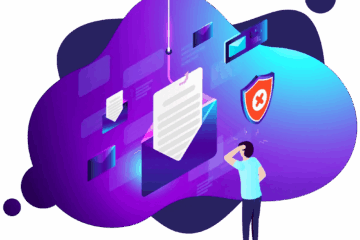
Phishing and social engineering tactics remain some of the most prevalent and effective methods used by cybercriminals to gain access to sensitive information. These attacks prey on human psychology, exploiting trust, urgency, or fear to manipulate individuals into divulging confidential data or clicking malicious links. Phishing attempts often manifest as deceptive emails, text messages (smishing), or phone calls (vishing) that impersonate legitimate organizations, such as banks, government agencies, or well-known companies. The messages typically contain a compelling call to action, urging the recipient to click a link, download an attachment, or provide personal details to resolve a fabricated issue, such as an “unauthorized transaction” or a “security alert.”
Developing a critical mindset when encountering unsolicited communications is key to defending against these threats. Always scrutinize the sender’s email address for subtle misspellings or unusual domain names. Be wary of urgent requests for personal information, especially if they come out of the blue. Legitimate organizations rarely ask for sensitive data via email or text. Instead of clicking directly on links within suspicious messages, manually navigate to the organization’s official website by typing the URL into your browser. Similarly, if you receive an unexpected phone call requesting personal information, it’s best to hang up and call the organization back using a verified phone number from their official website or a statement. Recognizing these manipulation techniques and maintaining a healthy skepticism are vital components of digital self-defense.
Protecting Your Devices from Malware and Viruses
Malware, encompassing viruses, ransomware, spyware, and other malicious software, poses a persistent threat to the security and functionality of your digital devices. These threats can infiltrate your systems through various vectors, including email attachments, infected websites, compromised software downloads, and even USB drives. Once installed, malware can steal sensitive data, encrypt your files for ransom, disrupt system operations, or grant unauthorized remote access to your computer. Maintaining robust device security requires a multi-layered approach.
A cornerstone of malware protection is the consistent use of reputable antivirus and anti-malware software. Ensure that this software is installed on all your devices, including computers, smartphones, and tablets, and that it is configured to update automatically. Regular scans can detect and remove existing threats, while real-time protection actively monitors for and blocks new infections. Beyond antivirus software, practicing safe browsing habits is crucial. Avoid downloading software from untrusted sources, and be cautious about clicking on pop-up advertisements, as these can often lead to malware downloads. Keeping your operating systems and applications up-to-date is also a critical security practice. Software updates frequently include security patches that address known vulnerabilities exploited by malware. By staying vigilant about software updates and employing reliable security tools, you can significantly reduce your device’s susceptibility to malicious software infections.
Securing Your Wireless Networks and Public Wi-Fi
Wireless networks, both at home and in public spaces, represent another significant area of digital security concern. An unsecured home Wi-Fi network can provide easy access for unauthorized individuals to your network and connected devices, potentially leading to data theft or the use of your internet connection for illicit activities. It is essential to secure your home router by changing the default administrator username and password and enabling strong WPA2 or WPA3 encryption. Regularly updating your router’s firmware is also recommended to patch any security vulnerabilities.
When using public Wi-Fi networks, such as those found in cafes, airports, or libraries, extreme caution is advised. These networks are often unsecured or poorly secured, making them prime hunting grounds for cybercriminals who can intercept your internet traffic. Avoid conducting sensitive transactions, such as online banking or making purchases, while connected to public Wi-Fi. If you must access sensitive information on a public network, utilize a Virtual Private Network (VPN). A VPN encrypts your internet traffic, creating a secure tunnel between your device and the VPN server, making it much harder for others on the same network to eavesdrop on your activities. Selecting a reputable VPN service is important, as free VPNs may have questionable privacy practices or weaker security protocols.
Data Privacy and Responsible Online Sharing
In an era where personal data is a valuable commodity, understanding and actively managing your online privacy is crucial. Many online services collect vast amounts of user data, which can be used for targeted advertising, sold to third parties, or potentially exposed in data breaches. Taking proactive steps to limit the amount of personal information you share online can significantly enhance your privacy. This includes being mindful of the information you post on social media, refraining from sharing overly personal details like your full birthdate, address, or financial information publicly.
You will be redirected to the official site.
Reviewing the privacy policies of the websites and applications you use can provide valuable insight into how your data is collected, used, and protected. Adjusting privacy settings within applications and browsers to minimize data collection is also a good practice. Consider using privacy-focused browsers or search engines that do not track your activity. For sensitive personal data, such as financial or health information, ensure that the websites you use employ secure connections (indicated by “https” in the URL and a padlock icon in the browser’s address bar). Regularly clearing your browser’s cache and cookies can also help reduce online tracking. By being deliberate about what you share and understanding how your data is handled, you can exert greater control over your digital footprint.
Protecting your digital life requires continuous vigilance and adaptation. Regularly update your software, be skeptical of unsolicited communications, and prioritize strong, unique credentials for all your online accounts. Employing these fundamental security practices significantly bolsters your defenses against a wide array of cyber threats prevalent in the United States.
What is phishing and how can I identify it?
Phishing is a type of online scam where cybercriminals impersonate legitimate entities through deceptive emails, messages, or websites to trick individuals into revealing sensitive information like passwords, credit card numbers, or social security numbers. Key indicators include urgent language, generic greetings (e.g., “Dear Customer”), poor grammar or spelling, suspicious sender email addresses, and requests for personal information or clicking on unfamiliar links/attachments.
Why is using a VPN important on public Wi-Fi?
Public Wi-Fi networks are often unsecured, meaning your internet traffic is not encrypted and can be intercepted by others on the same network, including cybercriminals. A VPN (Virtual Private Network) creates an encrypted tunnel for your data, masking your online activity and making it significantly harder for unauthorized parties to snoop on your communications or steal sensitive information. It adds a crucial layer of privacy and security when using potentially compromised networks.
How often should I change my passwords?
While the recommendation to change passwords frequently has been a long-standing practice, the focus has shifted towards prioritizing strong, unique passwords and enabling multi-factor authentication (MFA). For most general accounts, changing passwords regularly (e.g., every 90-180 days) is less critical than ensuring they are complex and never reused. However, for highly sensitive accounts, such as financial or critical work-related systems, more frequent changes might still be advised. The most important aspect is to never reuse passwords across different platforms.
What are the risks of not updating software regularly?
Software vulnerabilities are weaknesses in code that cybercriminals can exploit to gain unauthorized access to devices or systems, spread malware, or steal data. Developers regularly release updates and patches to fix these vulnerabilities. Failing to update your operating systems, web browsers, and applications leaves your devices susceptible to known exploits that have already been patched in newer versions. This makes your system an easier target for attacks.
How can I protect myself from identity theft online?
Protecting yourself from identity theft involves several layers of security. This includes using strong, unique passwords with MFA for all online accounts, being cautious of phishing attempts, securing your home Wi-Fi network, and using a VPN on public Wi-Fi. Additionally, monitor your financial accounts and credit reports regularly for any suspicious activity. Shred sensitive documents before discarding them and be mindful of the personal information you share online and with whom you share it.
In conclusion, maintaining robust digital security in the United States is an ongoing process that requires diligence and awareness. By implementing the practices outlined – from fortifying account access and recognizing phishing threats to securing devices and networks, and managing data privacy – individuals can substantially reduce their exposure to cyber risks.
Conditions may vary; consult official regulations.
Sources: Cybersecurity & Infrastructure Security Agency (CISA) | Federal Trade Commission (FTC)
0 Comments