Safeguarding your digital footprint has become paramount in an era where personal information is constantly exchanged online. From social media interactions to online banking and shopping, each digital action leaves a trace. Proactively protecting this information is not just about privacy; it’s about preventing identity theft, financial fraud, and reputational damage. Understanding the risks and implementing robust security measures are essential first steps according to the Federal Trade Commission (FTC).
You will stay on this site.
The landscape of online threats evolves rapidly, with cybercriminals employing increasingly sophisticated methods to access sensitive data. This necessitates a dynamic approach to digital security, one that adapts to new vulnerabilities and exploits. This guide will walk you through practical strategies and tools available to U.S. residents to fortify their online presence, ensuring that personal data remains confidential and secure from unauthorized access. We’ll explore authentication methods, data encryption, safe browsing habits, and the importance of vigilance in the digital realm.
Understanding the Threats to Your Digital Identity
Before diving into protective measures, it’s crucial to recognize the various threats that target digital identities. Phishing scams, where malicious actors impersonate legitimate entities to trick individuals into revealing personal information, remain a pervasive issue. Malware, including viruses, spyware, and ransomware, can infiltrate devices to steal data or hold it hostage for financial gain. Data breaches at major corporations, while often beyond an individual’s direct control, can expose vast amounts of personal information, making individuals vulnerable to subsequent targeted attacks as highlighted by the Cybersecurity and Infrastructure Security Agency (CISA).
Other significant threats include credential stuffing, where compromised login details from one site are used to attempt access on others, and man-in-the-middle attacks, which intercept communication between two parties. Social engineering, a broader category encompassing phishing and other manipulation tactics, exploits human psychology to gain access to information or systems. Understanding these attack vectors is the first line of defense, enabling you to identify and avoid potentially dangerous situations online.
Phishing and Spear Phishing
Phishing attacks are typically broad, casting a wide net with generic emails or messages. Spear phishing, however, is a more targeted form, where attackers research their victims to craft personalized messages that appear highly credible, often referencing specific relationships, work details, or recent activities. For instance, an email might claim to be from your HR department requesting updated W-2 information, or from a known vendor asking for urgent payment instructions, complete with familiar branding and language as detailed by the FTC. Recognizing the subtle cues—suspicious sender addresses, urgent or threatening language, requests for sensitive information, and poor grammar—is key to avoiding these deceptions.
Malware and Ransomware
Malware encompasses a wide range of malicious software designed to harm or exploit computer systems. Viruses can replicate themselves and spread to other files, while spyware secretly monitors your online activities. Ransomware, a particularly destructive form, encrypts your files and demands payment for their decryption. This can cripple personal use and professional operations alike. Installing reputable antivirus and anti-malware software, keeping it updated, and being cautious about downloading attachments or clicking links from unknown sources are critical preventive measures.
Data Breaches and Their Aftermath
When a company holding your personal data experiences a breach, your information, such as names, addresses, social security numbers, and even financial details, can be exposed. While you cannot prevent these breaches, you can mitigate their impact. Monitoring your financial accounts and credit reports regularly for suspicious activity is vital. Services like credit monitoring can alert you to new accounts opened in your name or significant changes to your credit profile, providing an early warning system against identity theft.
Fortifying Your Online Accounts: Authentication and Passwords
The security of your online accounts hinges on strong authentication practices. This begins with creating robust, unique passwords for every online service you use. A strong password typically includes a mix of uppercase and lowercase letters, numbers, and symbols, and should be at least 12 characters long. Avoid using easily guessable information like birthdays, pet names, or common words. Password managers are invaluable tools that can generate and securely store complex passwords, allowing you to access them with a single master password.
Beyond strong passwords, multi-factor authentication (MFA), also known as two-factor authentication (2FA), adds a critical layer of security. MFA requires more than just a password to log in, typically involving a second verification method such as a code sent to your phone, a fingerprint scan, or a hardware security key. Enabling MFA on all accounts that offer it significantly reduces the risk of unauthorized access, even if your password is compromised.
The Importance of Strong, Unique Passwords
The common practice of reusing passwords across multiple websites creates a significant security vulnerability. If one site suffers a data breach and your password is leaked, attackers can then use that same password to access your accounts on other platforms, including banking and email. Utilizing a password manager, such as LastPass, 1Password, or Bitwarden, can automate the process of creating and managing unique, complex passwords for each online service. These managers encrypt your password vault, accessible only via a strong master password, ensuring your credentials remain confidential following NIST guidelines.
Implementing Multi-Factor Authentication (MFA)
MFA is a powerful defense against account takeover. It works by requiring users to provide two or more verification factors to gain access. Common factors include: something you know (password), something you have (a physical token or your smartphone receiving a code), and something you are (biometrics like a fingerprint or facial scan). For example, after entering your password, you might be asked to enter a code sent via SMS to your registered phone number or to approve a login request from an authenticator app on your device. Prioritizing the activation of MFA on sensitive accounts like email, social media, and financial services is a highly effective security measure.
Safe Browsing Habits and Data Protection
Your daily online activities, from visiting websites to downloading files, present opportunities for security risks. Adopting safe browsing habits is fundamental to protecting your digital identity. This includes being wary of suspicious links, ensuring websites use HTTPS (indicating encrypted connections), and understanding the privacy settings of the browsers and applications you use.
Furthermore, protecting the data you transmit and store online is crucial. Encryption plays a vital role here. While most web browsers automatically use HTTPS for secure connections, understanding when and how to encrypt sensitive files or communications is also important. Regularly reviewing and adjusting privacy settings on social media platforms and other online services can limit the amount of personal information that is publicly visible or accessible to third parties.
Secure Connections (HTTPS) and VPNs
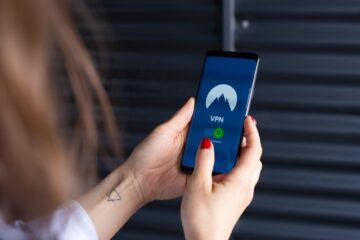
Always look for “https://” at the beginning of a website’s URL, especially when entering personal or financial information. The ‘s’ signifies a secure connection, meaning data exchanged between your browser and the website is encrypted. Avoid conducting sensitive transactions on public Wi-Fi networks, as these are often unencrypted and vulnerable to interception. For enhanced security on public networks, consider using a Virtual Private Network (VPN). A VPN encrypts all your internet traffic and routes it through a server in a location of your choice, masking your IP address and making it much harder for others to track your online activities as advised by the FTC.
Managing Browser and App Permissions
Web browsers and mobile applications often request access to various permissions, such as location, contacts, microphone, or camera. While some permissions are necessary for functionality, many can pose privacy risks if not managed carefully. Regularly review the permissions granted to your applications and browsers. If an app requests access to data it doesn’t legitimately need to perform its function, revoke that permission. For example, a simple game likely doesn’t need access to your contacts or location. Limiting these permissions reduces the potential attack surface and prevents unnecessary data sharing.
Monitoring Your Digital Footprint and Credit
Actively monitoring your online presence and financial accounts is a critical component of digital identity protection. This proactive approach allows you to detect and respond to suspicious activities or potential identity theft early on. Regularly reviewing your social media profiles for unauthorized posts or changes, and checking your bank and credit card statements for unfamiliar transactions, are essential practices.
Credit reports are a detailed record of your financial history and can be a significant indicator of identity theft. Since your Social Security number is a primary identifier, any fraudulent activity often appears on your credit report. By regularly checking your credit reports and scores, you can identify unauthorized inquiries, new accounts opened in your name, or other discrepancies that signal a potential problem. The U.S. government provides resources for accessing your credit reports to ensure accuracy and security.
Accessing and Reviewing Credit Reports
Under the Fair Credit Reporting Act (FCRA), consumers are entitled to a free copy of their credit report from each of the three major credit bureaus—Equifax, Experian, and TransUnion—once every 12 months. You can request these reports through the official website, AnnualCreditReport.com. Scrutinize each report for any accounts you don’t recognize, incorrect personal information, or inquiries you didn’t authorize. Promptly disputing any inaccuracies with the credit bureau involved is crucial for correcting errors and preventing further damage from identity theft guidance from the FTC.
Identity Theft Protection Services
Several commercial services offer identity theft protection, which can provide a valuable layer of security. These services often include credit monitoring, identity theft insurance, and recovery assistance. They can alert you to suspicious activity across your credit reports, public records, and even the dark web, where stolen personal information is sometimes traded. While these services come at a cost, they can offer peace of mind and provide expert support if your identity is compromised, helping to navigate the complex process of recovery.
Protecting Against Specific Online Threats
Beyond general security practices, understanding and defending against specific prevalent online threats is vital. This includes being aware of scams that target individuals through various communication channels and employing strategies to secure your devices and online accounts from exploitation.
Recognizing and Avoiding Online Scams
Online scams come in many forms, from fake lottery winnings and advance-fee schemes to fraudulent investment opportunities and romance scams. The common thread is often a promise of easy money, a dire warning requiring immediate action, or an emotional appeal designed to bypass critical thinking. Be skeptical of unsolicited offers, requests for personal information, or demands for payment via unusual methods like gift cards or wire transfers. If something seems too good to be true, it likely is. Research unfamiliar companies or individuals online and consult resources like the FTC’s consumer information website for current scam alerts.
Securing Your Devices and Home Network
Your personal devices—computers, smartphones, and tablets—are gateways to your digital life. Ensuring they are secure is paramount. This involves keeping operating systems and software updated to patch security vulnerabilities, using strong passwords or biometric locks, and installing reputable antivirus and anti-malware software. For your home Wi-Fi network, change the default router password, enable WPA2 or WPA3 encryption, and consider creating a separate guest network for visitors to keep your main network secure. These steps significantly reduce the risk of unauthorized access to your devices and personal data.
The Role of Encryption in Data Security
Encryption is a fundamental security technology that converts data into a coded format, rendering it unreadable to anyone without the correct decryption key. While HTTPS encrypts data in transit over the internet, full-disk encryption (FDE) for your devices ensures that all data stored on your hard drive or solid-state drive is encrypted. Most modern operating systems offer FDE options (like BitLocker on Windows or FileVault on macOS). For highly sensitive files, consider using encrypted archives or cloud storage services that offer end-to-end encryption, ensuring that even the provider cannot access your data.
Protecting your digital identity requires a continuous commitment to vigilance and the adoption of security best practices. By understanding the threats and implementing robust safeguards, you can significantly reduce your risk of falling victim to cybercrime and maintain greater control over your personal information in the online world.
Frequently Asked Questions about Digital Identity Protection
What is the most important step in protecting my digital identity?
While many steps are crucial, enabling multi-factor authentication (MFA) on all your accounts is often considered the single most impactful measure. It adds a significant barrier against unauthorized access, even if your password is compromised.
How often should I change my passwords?
The recommendation for changing passwords regularly has evolved. Instead of frequent changes for complex, unique passwords managed by a password manager, focus on changing passwords immediately if you suspect a compromise or if you are reusing passwords. A password manager automates strong password creation, reducing the need for manual changes unless a breach occurs.
Can I truly be 100% safe online?
Achieving absolute 100% safety online is virtually impossible due to the constantly evolving nature of cyber threats. However, by implementing strong security measures, practicing safe online habits, and staying informed, you can dramatically minimize your risk and protect your digital identity effectively.
What should I do if I suspect my identity has been stolen?
If you suspect identity theft, act quickly. Contact the companies where you know fraudulent charges occurred, place fraud alerts on your credit reports, and file a report with the Federal Trade Commission (FTC) at IdentityTheft.gov. You may also need to file a police report.
Are free antivirus programs as effective as paid ones?
Many reputable free antivirus programs offer solid protection for basic needs. However, paid versions often include more advanced features like real-time protection, enhanced malware detection, firewalls, and identity theft protection tools that offer a more comprehensive security suite. For critical data, investing in a paid solution is often advisable.
How can I tell if a website is secure for online shopping?
Look for “https://” in the URL and a padlock icon in the browser’s address bar. Reputable online retailers will also clearly display their contact information, privacy policy, and return policies. Be wary of sites with excessively aggressive pop-ups or pressure tactics.
Taking control of your digital identity is an ongoing process that requires awareness and consistent effort. By implementing the strategies outlined in this guide—from creating strong, unique passwords and enabling multi-factor authentication to practicing safe browsing habits and monitoring your financial accounts—you can build a robust defense against the myriad threats present in the online world.
Conditions may vary; please check official regulations.
Sources: Federal Trade Commission | Cybersecurity and Infrastructure Security Agency | FTC Identity Theft Guidance
- 47 Top Fashion Tech Companies in United States · September 2026 | F6S — f6s.com
- Foto.com United States Reviews | Read Customer Service Reviews of us.foto.com — trustpilot.com
0 Comments